

Covid 19 Contact Tracing
Positive test? Discover who shared class
Works with aPlus+ Attendance for 
If a student tests positive for Covid 19 after onsite classes have resumed, this tool helps you to determine who has shared a class with them.
This tool is highly configurable and can include subsequent sessions in the same room, and also ignore students who were online learners only.
Allows results to be refined using seating plans.
Entry Point - Contact Tracing Report
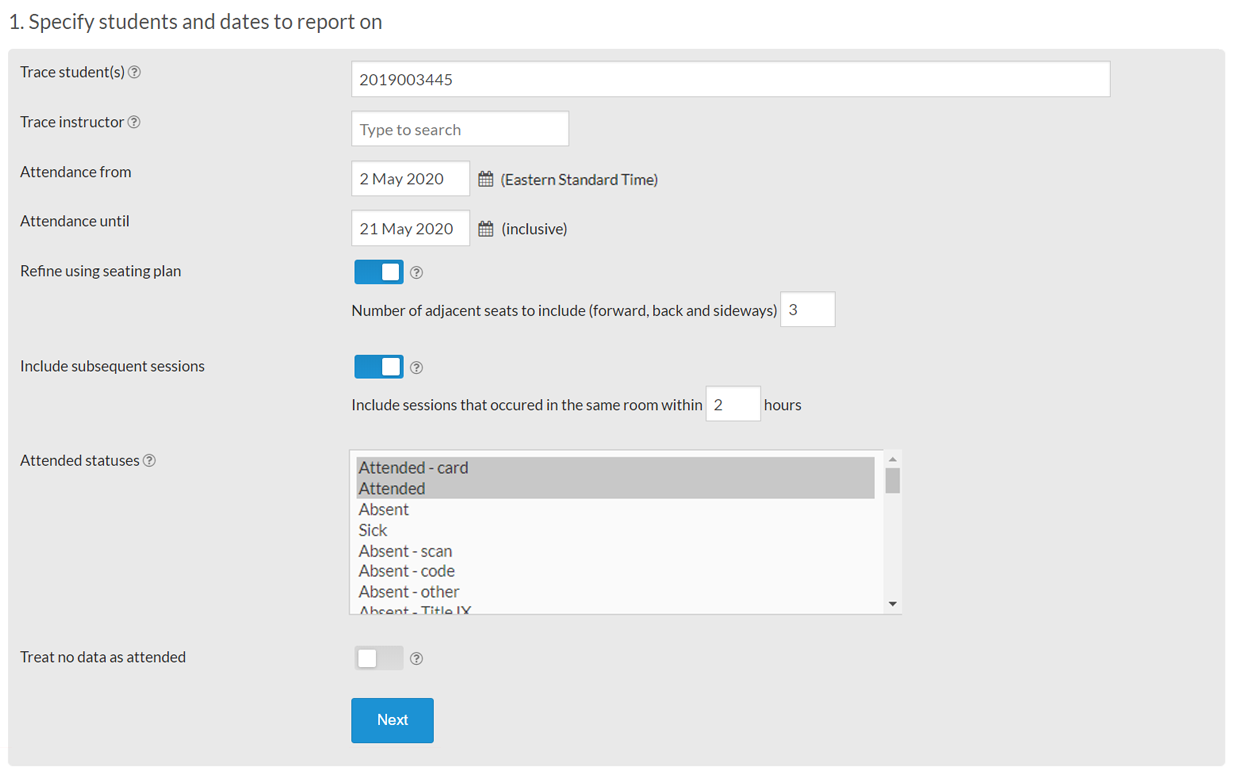
- Trace one or many students at one time
- Trace an instructor
- Specify the date range trace contact for
- Trace contacts who attended the same location shortly after
- Check seating plans to find students who sat nearby
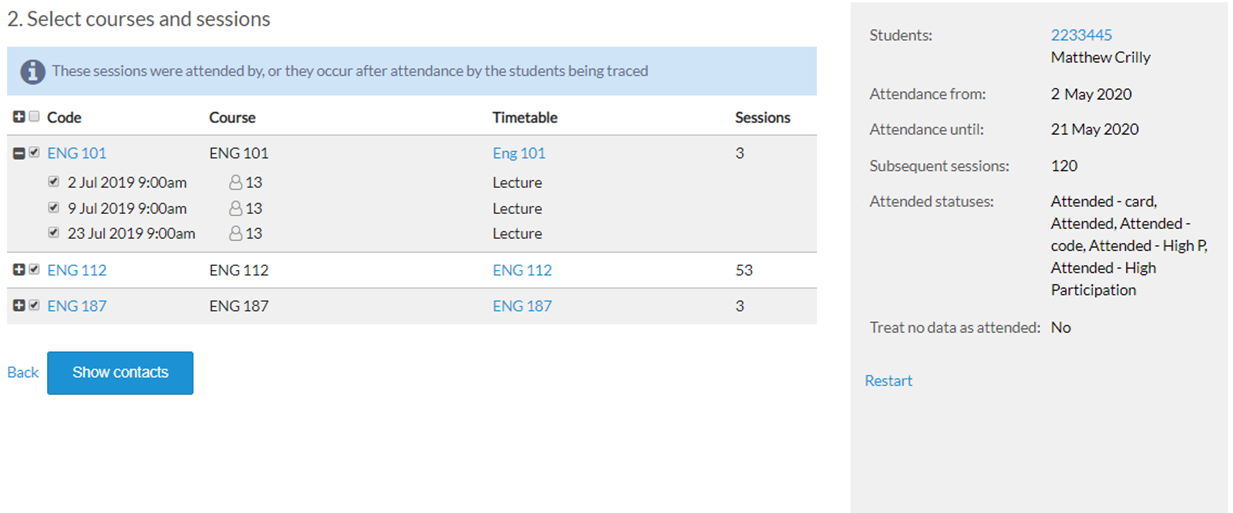
Refine Course and Class Selection
- View the courses and classes attended
- Exclude courses or classes if required
- Easily go back to adjust selection criteria
View and Export Matching Contact Information
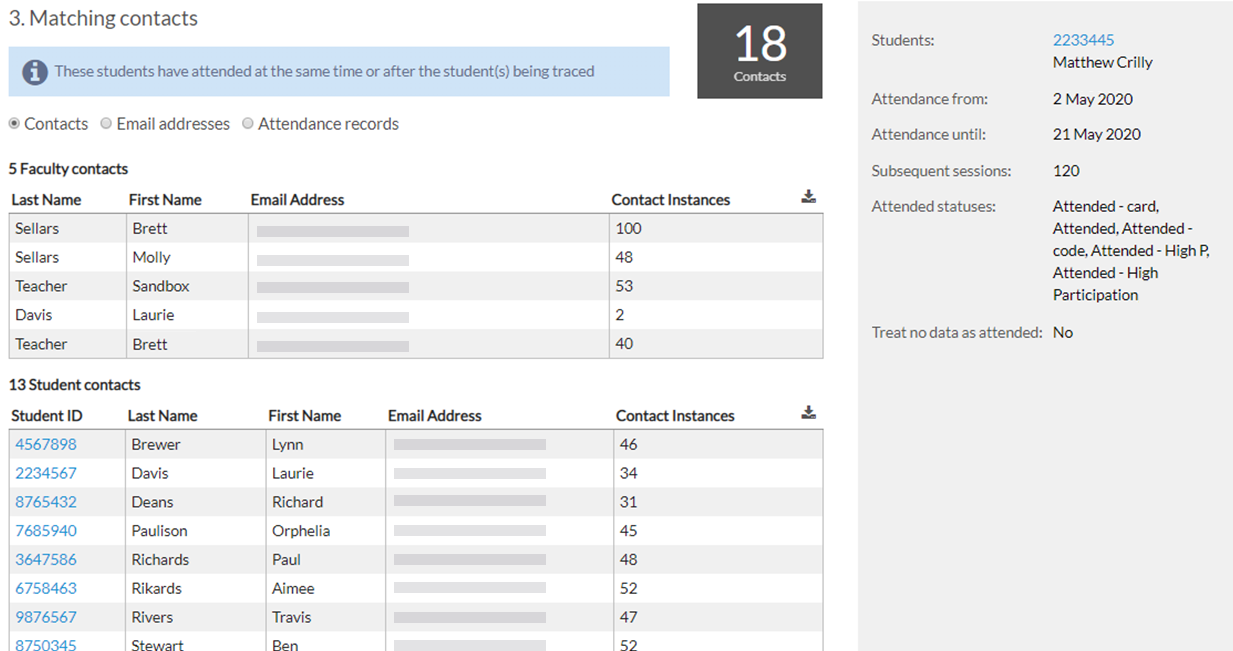
- View instructors and students who match
- Choose to view just email addresses for all contacts
- View detailed attendance records if required
- Export data as required
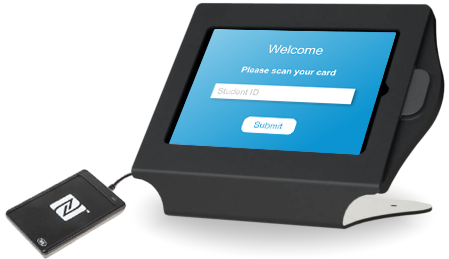
Contact Tracking using Contactless Kiosks
aPlus+ Attend Core is designed specifically for tracking attendance to rooms, spaces, buildings and events. Plug in a USB scanner, connect to your student list, and start recording when students enter and leave each location.
You can be up and running tracking contacts very quickly. Contact us to learn more